The moment you ALL have been waiting for is here (drum roll, please)…the second part of our how-to-find-Valley®-in-the-digital-world-and-beyond series! In our first installment, I walked you through how to set up a free Google Alert. This time, I’ll give you the play-by-play of setting up an RSS Feed so that you (yes, you!) can easily follow the Growing the Conversation blog!
Many of you may already know what an RSS Feed is, but some of your may be asking, “What in the world is she talking about?” An RSS Feed is a way for blogs, news feeds, and other websites to push frequently updated information directly to you. Sounds simple, right? There is, of course, one catch: you must have an RSS Reader to capture those RSS Feeds! Like a moth to a flame. Or a cat to peanut butter.
Admittedly, setting up an RSS Feed used to be kind of a pain, and some magic web programming knowledge was typically needed. However, we’re well into the 21st century, and technology has become one of our closest friends, allowing us to get whatever we need in just a few clicks of a mouse or taps of a finger!
Follow these steps to set up your very own RSS Feed to easily follow the Growing the Conversation blog:
1. Get an RSS Reader. Some popular ones include FeedDemon, RSSOwl, and Feedly. If you have Microsoft Outlook, you already have an RSS Reader built in!
2. Find the site you want to subscribe to (hint, hint: this blog). Click on any link that resembles a “Subscribe to This Blog” or “Subscribe to News Feed” or just “Subscribe.”
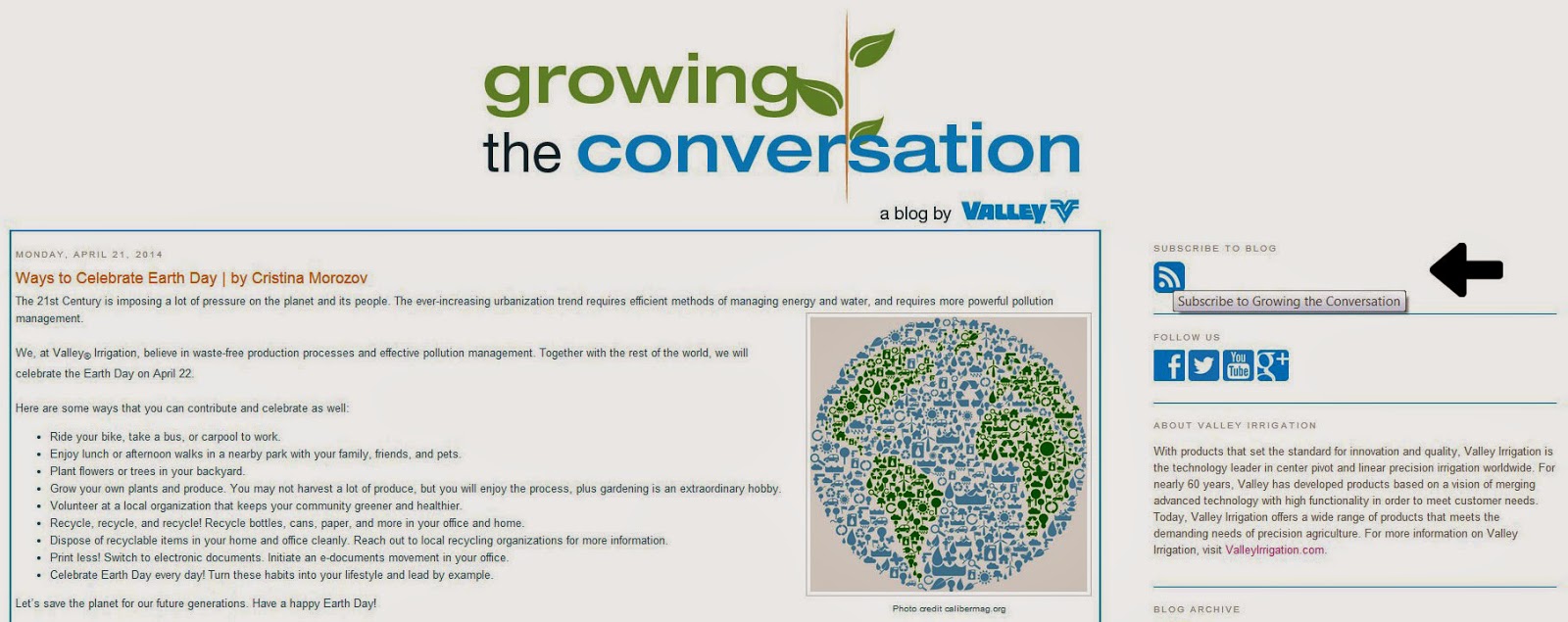 3. (If you are using Outlook, skip to step 4.) If you are NOT using Outlook, find your installed RSS Reader from the list provided and skip steps 5-7. Follow the instructions for adding a new RSS Feed in your RSS Reader of choice.
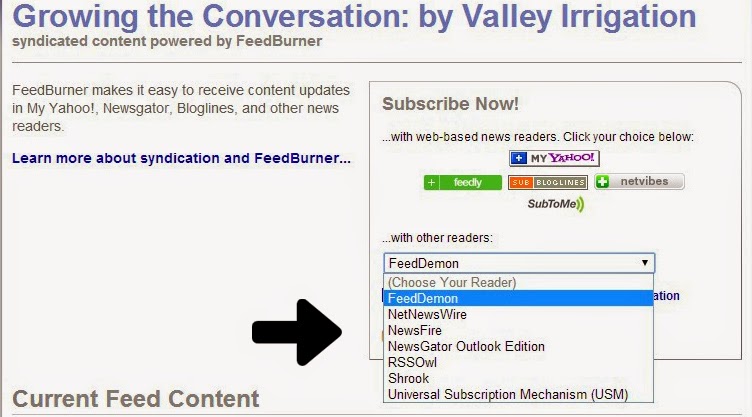
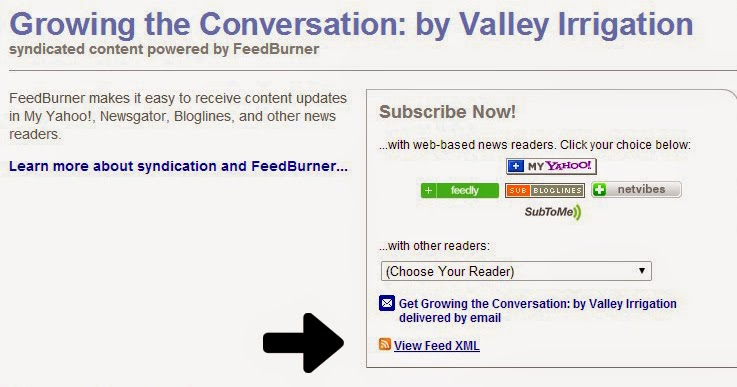
4. If you ARE using Outlook, click on the “View Feed XML” (or similar) link and follow steps 5-8.
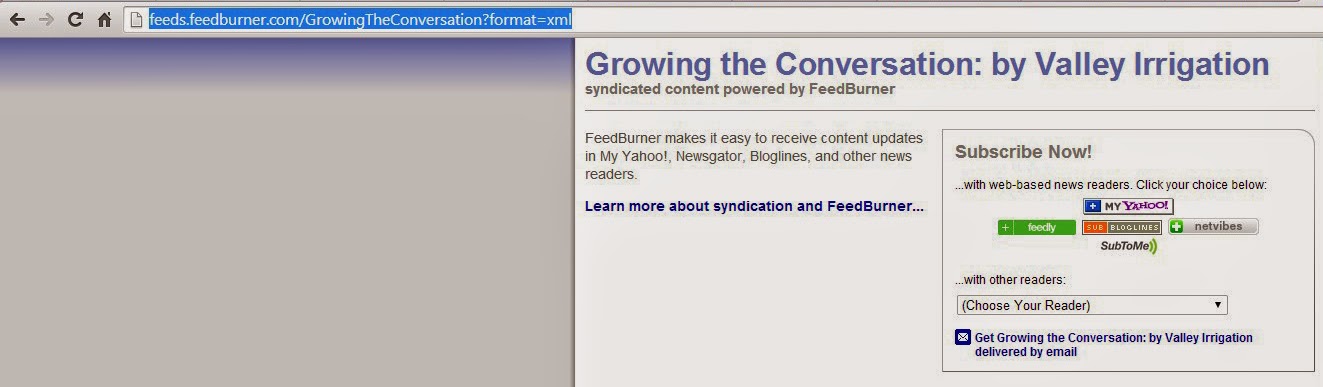
5. Copy the web address (URL) in your browser’s address bar.
6. Navigate to Outlook and find the folder in the left-hand column called RSS Feeds (it will be somewhere below your main Inbox folder).
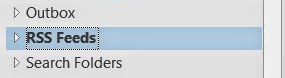
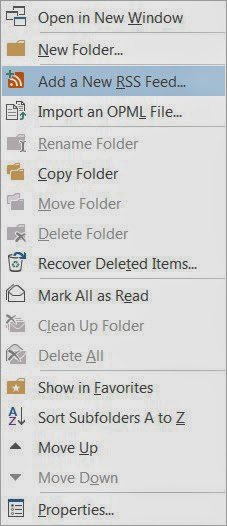
7. Right-click with your mouse on the RSS Feeds folder and choose Add a New RSS Feed.
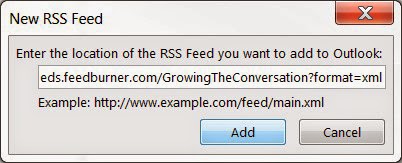
8. Paste the URL from step 5 and click Add.
And that’s all there is to it! Now, whenever we post a new blog post to the Growing the Conversation blog, you will be the first to know. Use this same tutorial to subscribe to other blogs, news feeds, and other websites.
Would you like to see other tutorials from the Valley bloggers? Let us know – drop us a line in the Comments box below!
 |
Kelly Cox
Global Digital Marketing Manager
Kelly joined the Valley Irrigation Global Marketing Department in 2008. Her love of all things geek (steampunk furniture, anime, Doctor Who, and science fiction/fantasy literature, just to name a few) helped shape her appreciation for technology and the web. Kelly is a newlywed and new homeowner, where she shares her geekery with her husband. She considers herself a wine connoisseur (though, 3 buck Chuck is delicious!) and has a love of painting, dance, and singing.
|


